

MS Limits Caption Options in Windows Media Player Legacy
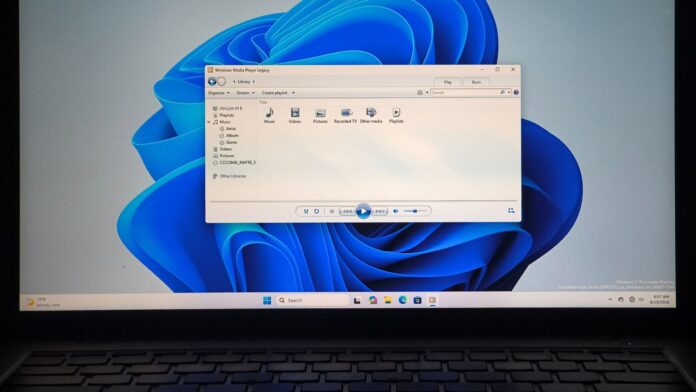
MS continues to diminish the functionality of Windows Media Player Legacy, with the latest update underscoring this trend. In Windows 11 Experimental Build 29648.1000 for Future Platforms, caption controls in the legacy player have been restricted. Attempts to enable captions now trigger a prompt encouraging users to switch to the modern Media Player.
Key Insights on the Update
Windows enthusiast Xeno Panther was among the first to spot this change, noting that it is currently limited to Experimental Build 29648.1000. Captions are also absent in the latest Experimental 26H2 build (26340.9212), suggesting it might take more time for this change to roll out to standard Windows 11 PCs.
Considering the legacy player’s age, MS appears to feel no obligation to explain these changes. The company’s intent to migrate users to the modern Windows Media Player is evident, and the removal of this feature from the older app aligns with that goal.
Caption Controls Removed in Legacy Media Player
Previously, users could right-click on a media file playing in Legacy Media Player, navigate to Lyrics, captions, and subtitles, and choose from three options: Off, On if available, and Defaults. The Defaults option also allowed further customization of caption settings.
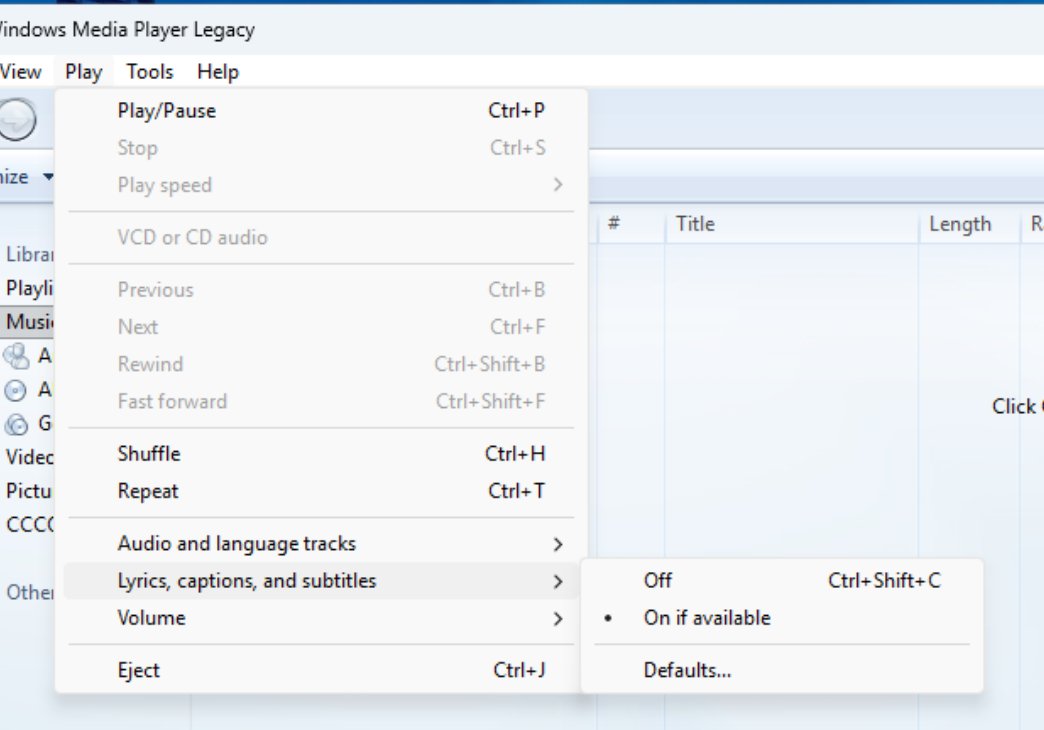
However, in Build 29648.1000, the Off and Defaults options have been removed, leaving only On if available. Attempting to enable captions now displays a message that states:
"Captions cannot be enabled in Windows Media Player Legacy. Move to Windows Media Player to enable captions."
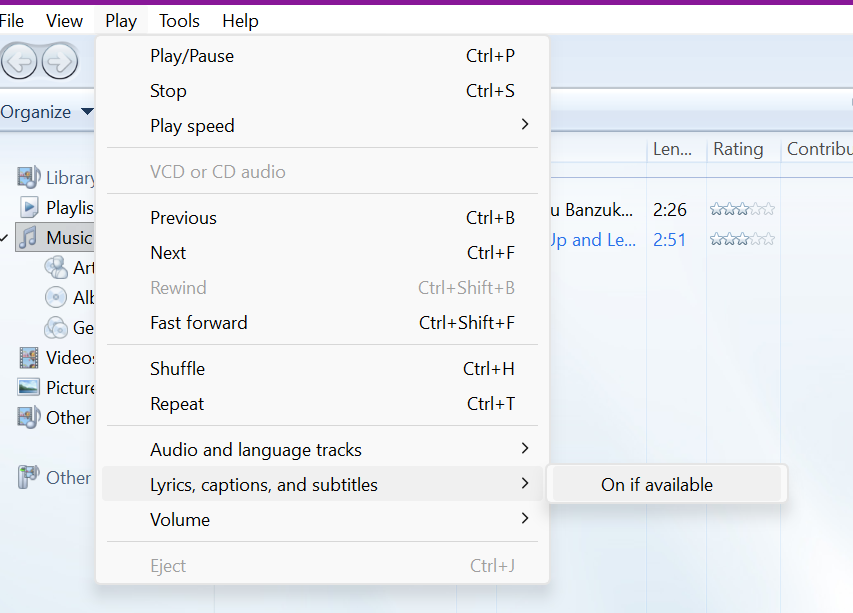
While this might look like a bug, it is an intentional restriction by MS to encourage users to transition to the modern Media Player. Despite this, the decision feels unnecessary, as removing a working feature limits user choice.
Modern Media Player’s Advanced Caption Customization
In June, Windows Latest highlighted updates to the modern Media Player, which introduced advanced caption customization options for the first time. These updates included settings to adjust font size, color, and background, along with a quick link to system-wide caption settings.
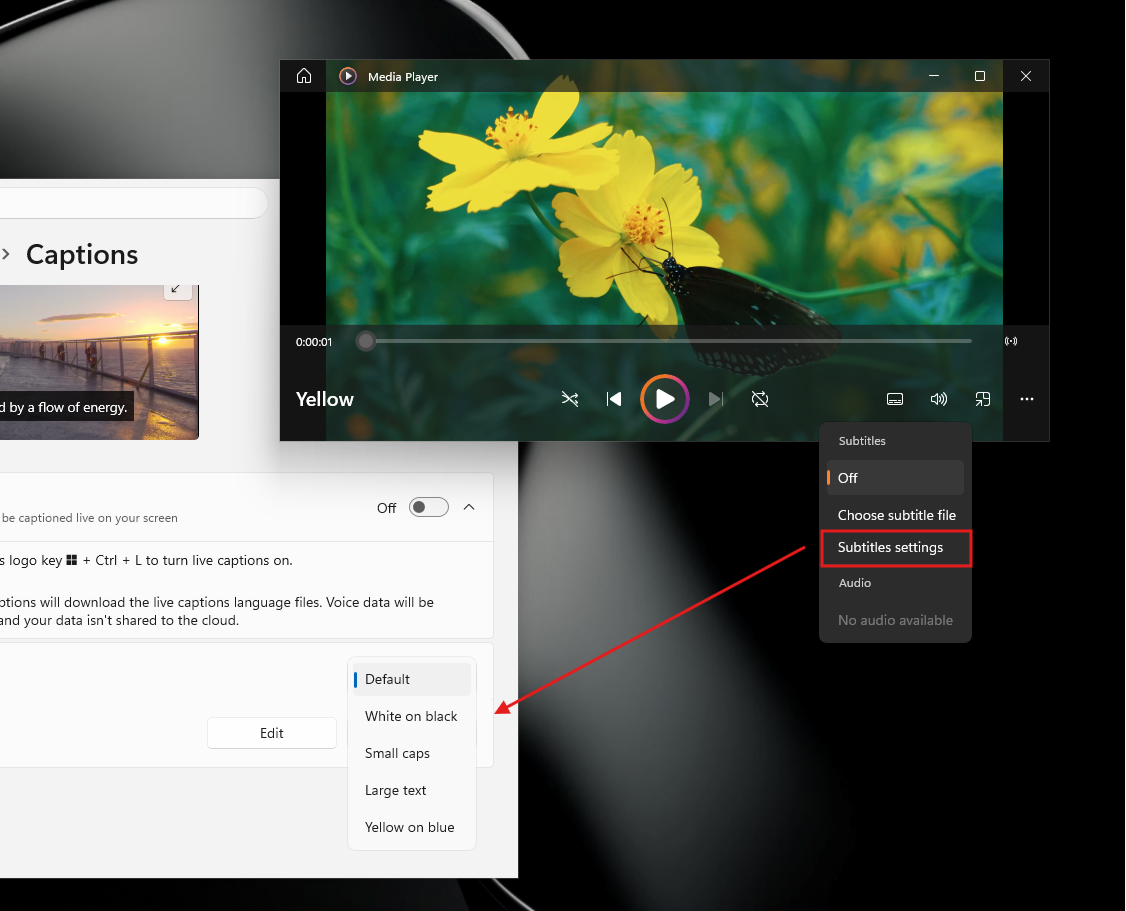
While the legacy player lacked these advanced controls, it still provided basic functionality that has now been removed, forcing users to adopt the modern app.
Modern Media Player: Still a Work in Progress
MS’s push for the modern Media Player would be more acceptable if the new app matched or exceeded the legacy version in performance and usability. Unfortunately, testing reveals several shortcomings:
Performance Concerns
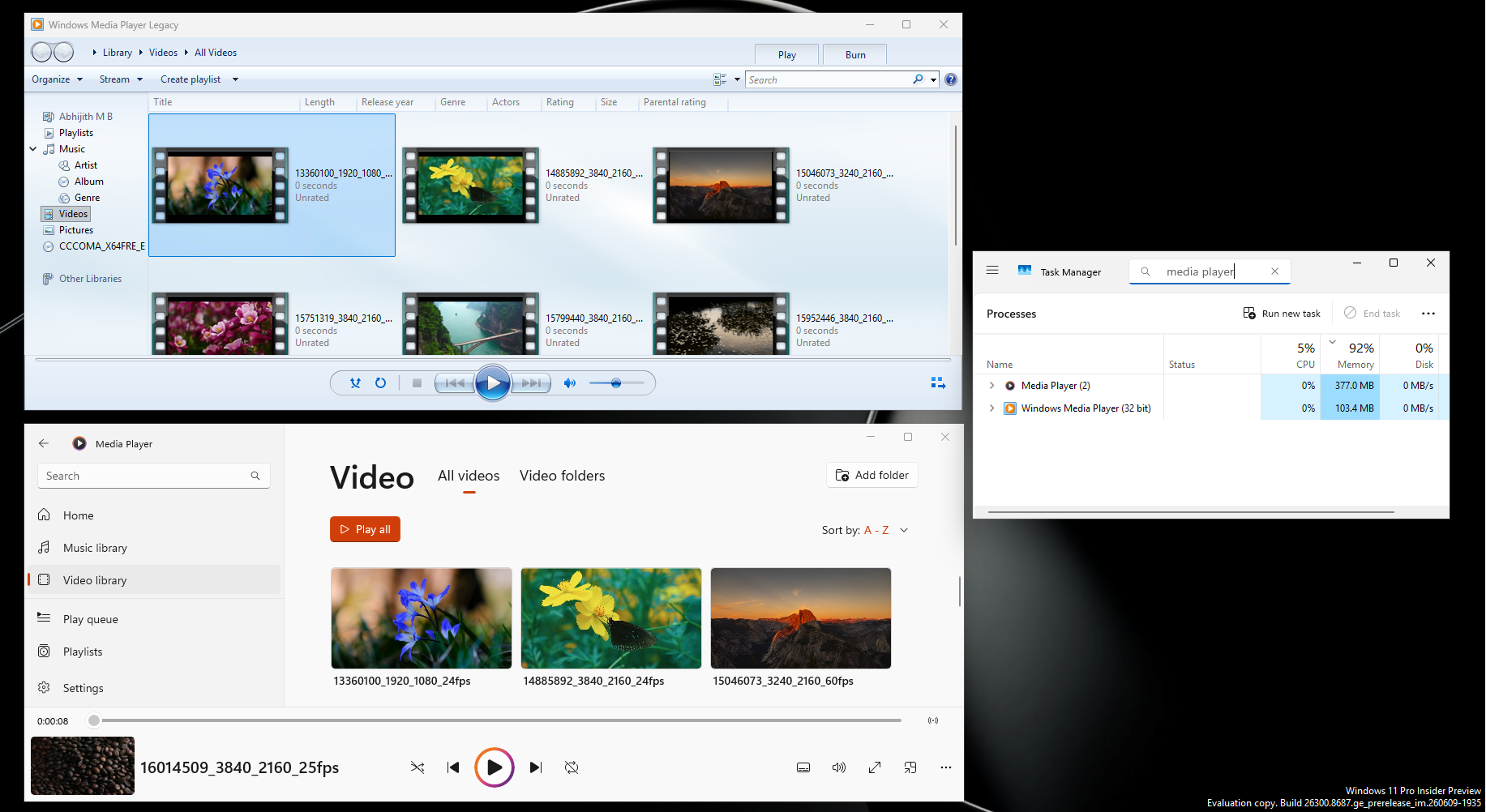
- Speed: Legacy Media Player opens videos almost instantly, whereas the modern app takes noticeably longer, even on high-performance PCs.
- Memory Usage: The modern Media Player consumes approximately 377 MB of RAM when idle, compared to just 103.4 MB for the legacy version—over three times as much.
Codec Limitations
Despite its age, Legacy Media Player supports modern HEVC video files out of the box. In contrast, the modern Media Player requires users to purchase the HEVC Video Extensions from the MS Store for $0.99.
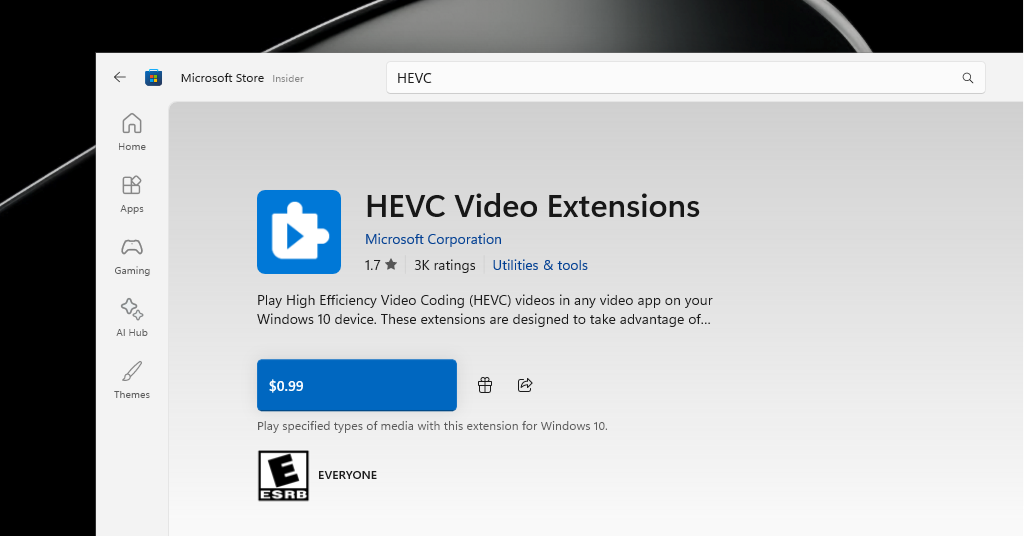
As HEVC is the default format for most modern smartphone cameras, requiring users to pay for basic functionality creates a poor first impression for the updated app.
Other Feature Omissions
- The legacy player offers a familiar library view and CD-burning capabilities, both of which are missing in the modern app.
- MS still lists the Legacy Media Player as an optional feature in Windows 11, even as it promotes the modern app for newer functionalities like 4K playback.
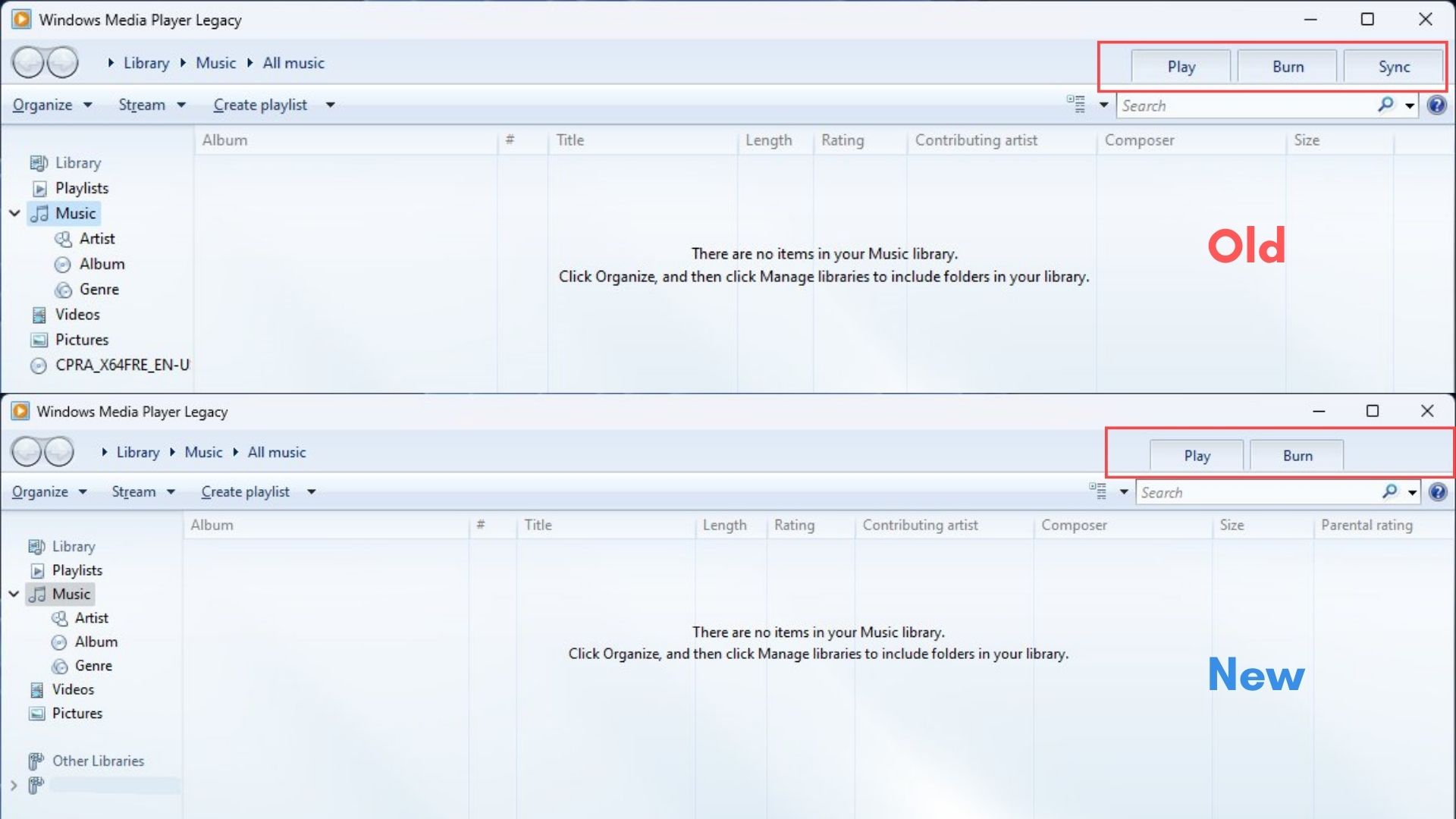
- The Legacy Media Player’s Sync tab, which allowed users to transfer music to devices, was quietly removed in 2023.
Third-Party Media Player Alternatives
For users dissatisfied with MS’s media player options, third-party open-source alternatives remain viable. VLC Media Player is a popular choice with robust features, though its music playback performance has been criticized, with VideoLAN attributing the issue to a bug on MS’s side.
Another strong alternative is mpv player, a free, open-source media player with a minimalist design and a focus on performance and flexibility.

Conclusion
MS’s strategy to phase out Legacy Media Player in favor of the modern app is clear. However, the success of this transition depends on whether the modern Media Player can match or surpass the legacy version in performance, efficiency, and features. Currently, the modern app needs significant improvements in speed, memory usage, codec support, and overall user experience to justify replacing the legacy version.
Until then, users might find third-party media players like VLC or mpv to be more reliable and feature-rich alternatives for media playback.
Windows Latest relies on readers like you. Make us your go-to source on Google Discover and Google Search, and help our independent journalism reach more audiences.
