

MS's New Customizable Context Menu: A Long-Awaited Fix for Windows 11
MS has finally acknowledged that the right-click menu in Windows 11 had become "cluttered and sluggish", and the company is now overhauling the experience with a cleaner, faster design and customizable options. This has been a long-standing request from users, and the changes are already being rolled out in Experimental Build 26340.9212, released on August 17, 2026.
A Look Back: Windows 10 vs. Windows 11 Context Menu
Interestingly, back in 2021, MS introduced the Windows 11 context menu as a solution to the issues found in Windows 10. At the time, the company criticized the Windows 10 context menu for being overly long, poorly organized, and cumbersome to use.
MS claimed that the Windows 10 menu had evolved in an "unregulated environment for 20 years, since Windows XP". Problems included:
- Common commands like Cut, Copy, Paste, Delete, and Rename were far from the cursor.
- The menu became exceptionally long and cluttered with rarely used commands.
- Third-party app commands lacked consistent organization, impacting performance and reliability.
Windows 11’s initial redesign aimed to address these issues by grouping related commands, providing a structured system for app extensions, and introducing the "Show more options" fallback to the legacy menu.
The Problems Persist
Despite these efforts, the new context menu in Windows 11 developed similar issues, becoming slower and more cluttered over time. Common complaints included:
- Extensions like Ask Copilot, Clipchamp, and Photos loaded after the menu appeared, causing misclicks as items shifted dynamically.
- The menu became sluggish due to the additional workload from app extensions.
MS acknowledged these problems in its August 17, 2026 announcement, admitting that the replacement menu had inherited the very issues it was meant to solve.
The Redesigned Context Menu: Cleaner, Faster, Customizable
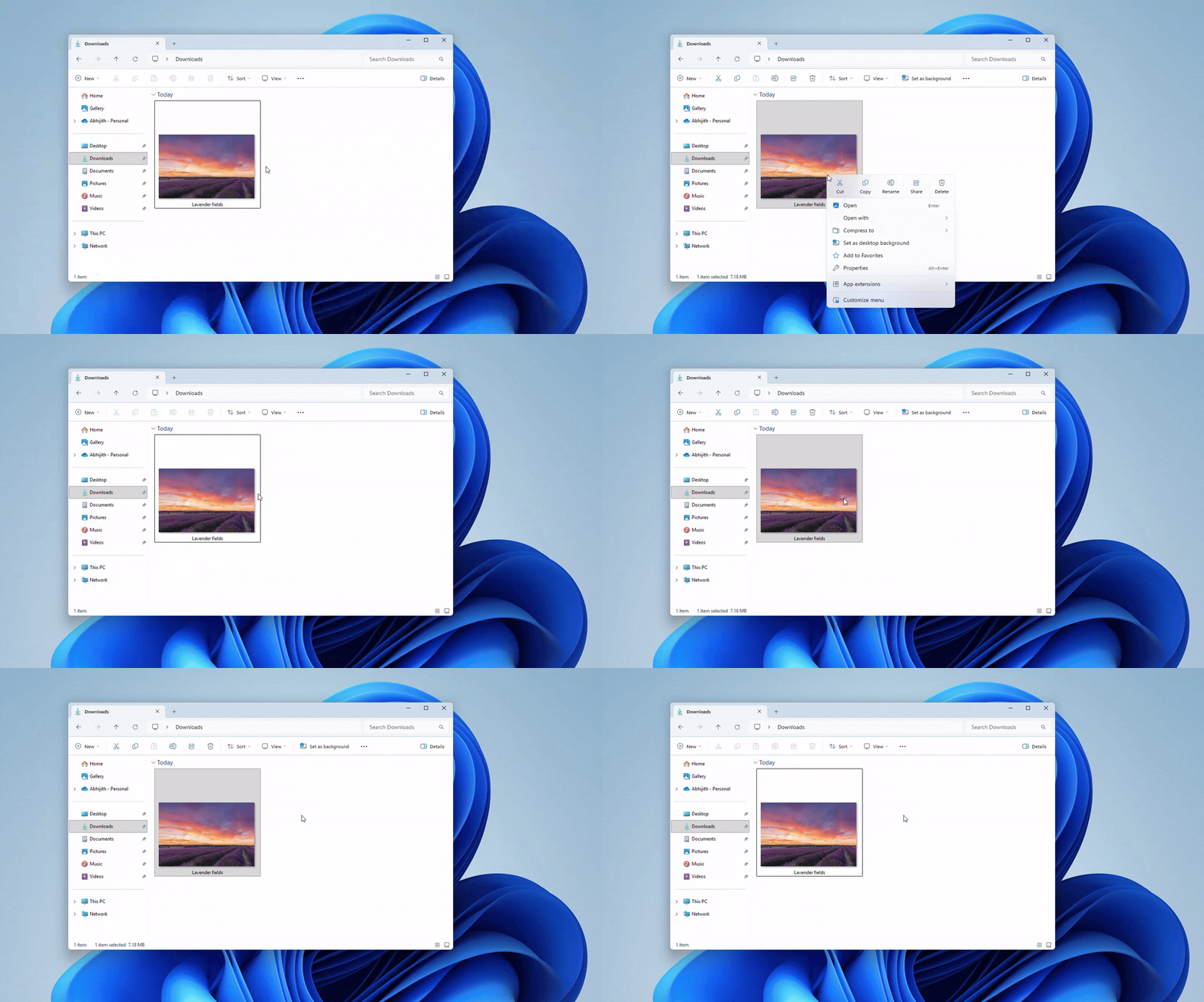
The new context menu in Windows 11 Experimental Build 26340.9212 is a significant improvement. It is visibly shorter, faster, and more user-friendly, even on low-spec PCs. Key highlights include:
- Performance Optimization: The menu now appears instantly, thanks to reduced clutter and improved handling of app extensions.
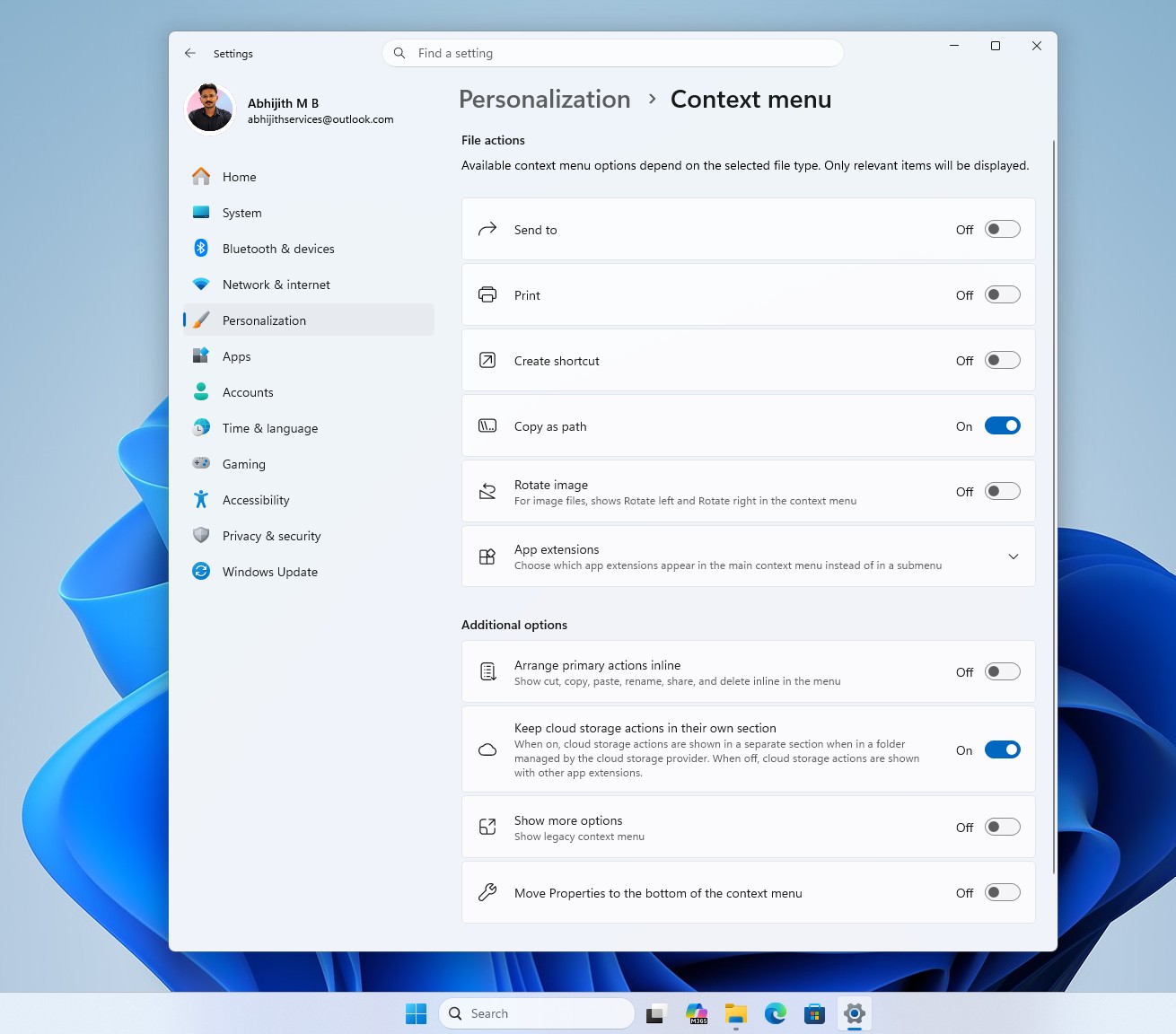
- Customizable Options: A new "Customize menu" option allows users to personalize the context menu from a dedicated Settings page under Personalization > Context menu.
- Streamlined Layout: Common commands like Cut, Copy, Rename, Share, and Delete are displayed in a compact horizontal row, with an option to switch to a vertical arrangement for those who prefer the Windows 10 style.
Key Customization Features
Users now have control over which commands and extensions appear in the context menu. Notable features include:
- Toggle options for commands like Send to, Print, Rotate image, and Create shortcut, allowing users to enable only what they frequently use.
- Individual selection for app extensions like Notepad, Paint, and Photos, with the ability to group them into a submenu for cleaner organization.
- Options to keep cloud storage actions (e.g., OneDrive) in a separate section.
- A toggle to move "Properties" to the bottom of the menu for better organization.
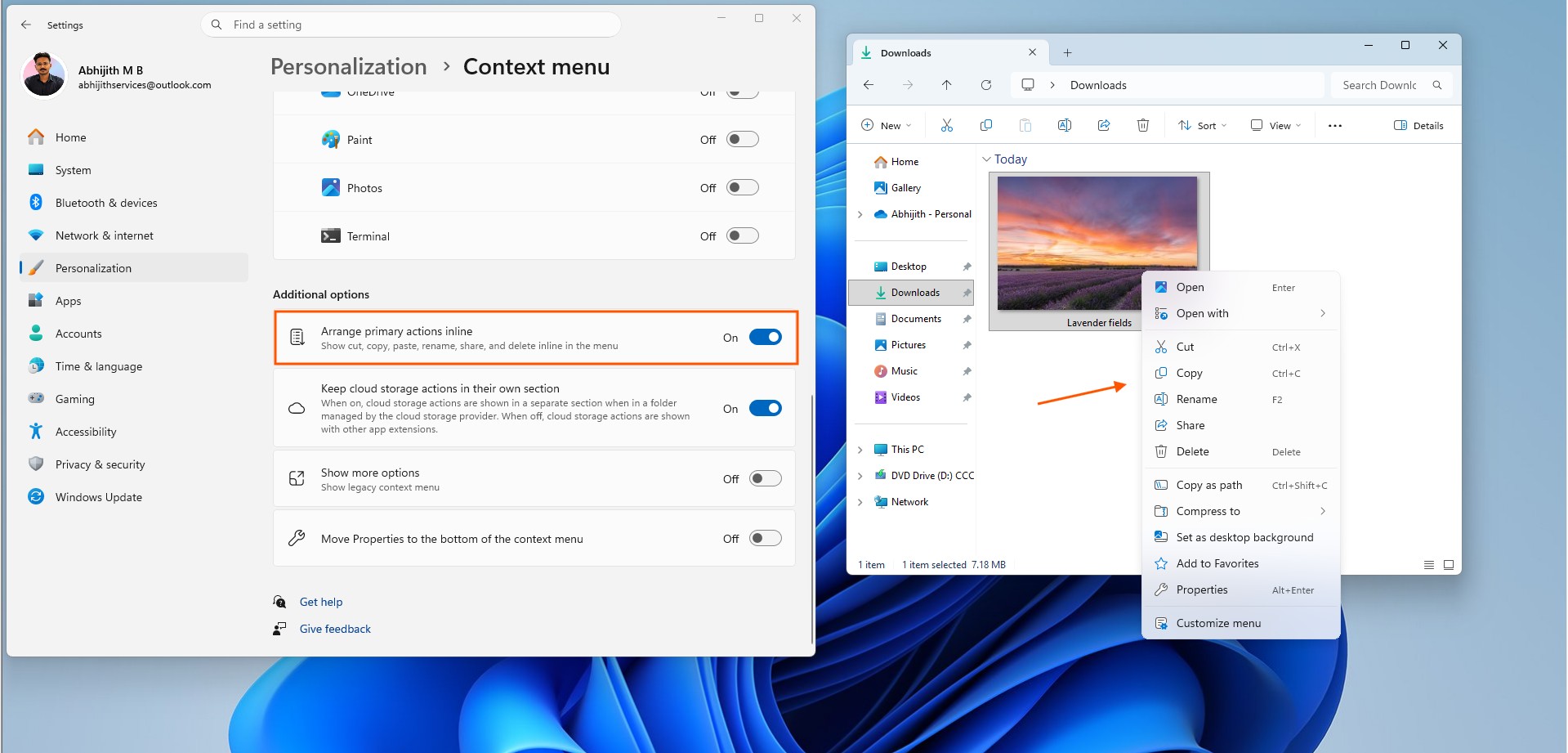
By focusing on user customization, MS has addressed one of the most significant pain points of previous versions, empowering users to tailor the context menu to their specific needs.
Part of a Larger Overhaul: File Explorer Improvements
The redesigned context menu is just one part of MS’s broader effort to improve File Explorer. Since March 2026, the company has been addressing longstanding issues like freezes, navigation lags, and performance bottlenecks.
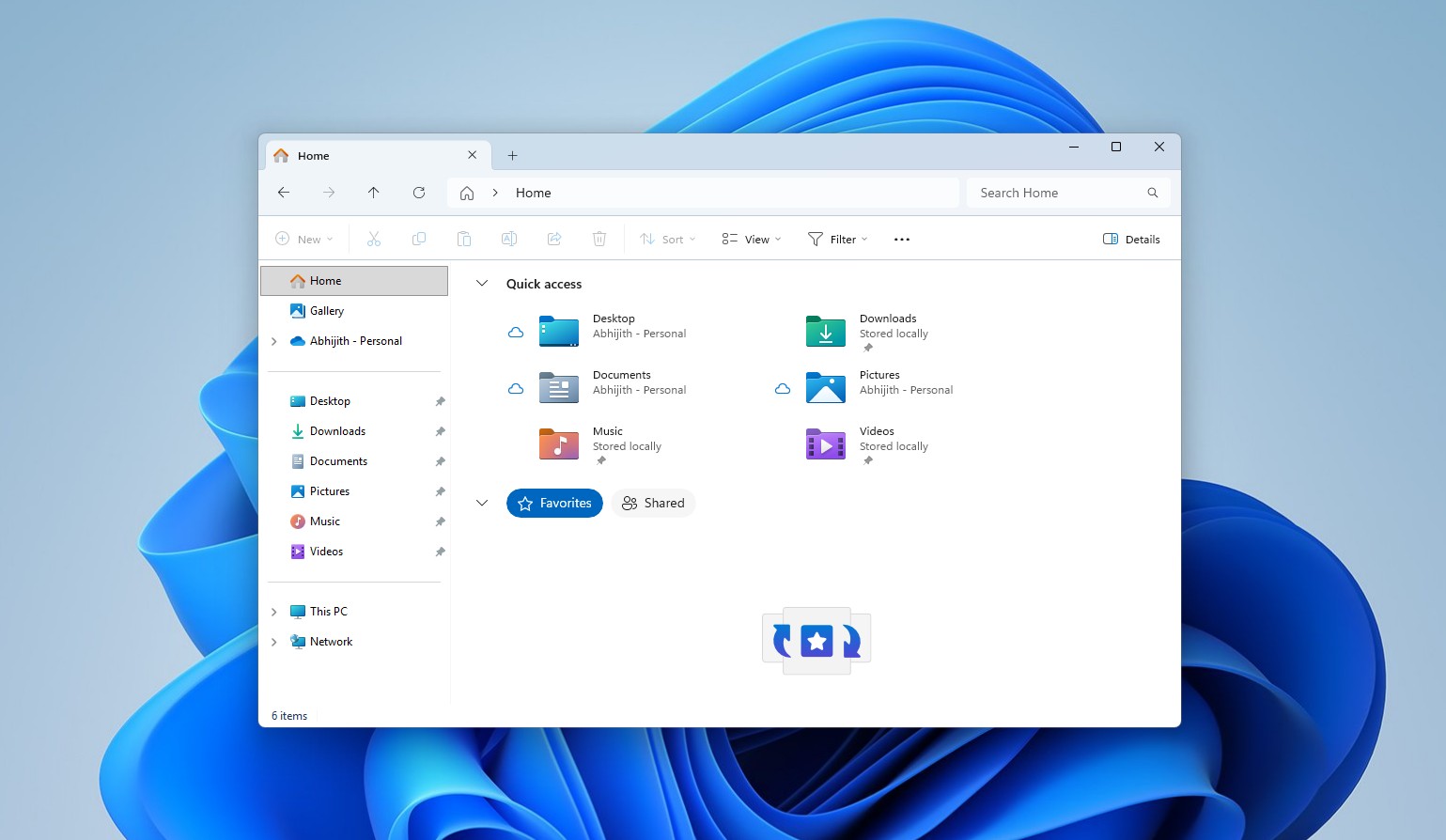
MS has admitted that File Explorer in Windows 11 was slower than its Windows 10 counterpart. However, with ongoing updates, including fixes to the Address Bar and file size displays, the company is making significant strides toward enhancing the overall user experience.
What’s Next?
The new context menu is currently available to Windows Insiders in the Experimental channel, with feedback shaping its final iteration. While regular users will need to wait a bit longer, this redesign represents a major step forward in usability and customization.
Five years after introducing the Windows 11 context menu as a solution, MS has come full circle, acknowledging past mistakes and delivering a feature that finally lives up to users’ expectations.
Windows Latest depends on readers like you. Make us your preferred source on Google Discover and Google Search to help our independent reporting reach more people.
